BIMBox Synchronized 3D Walkthrough & BIM Comparison Engine
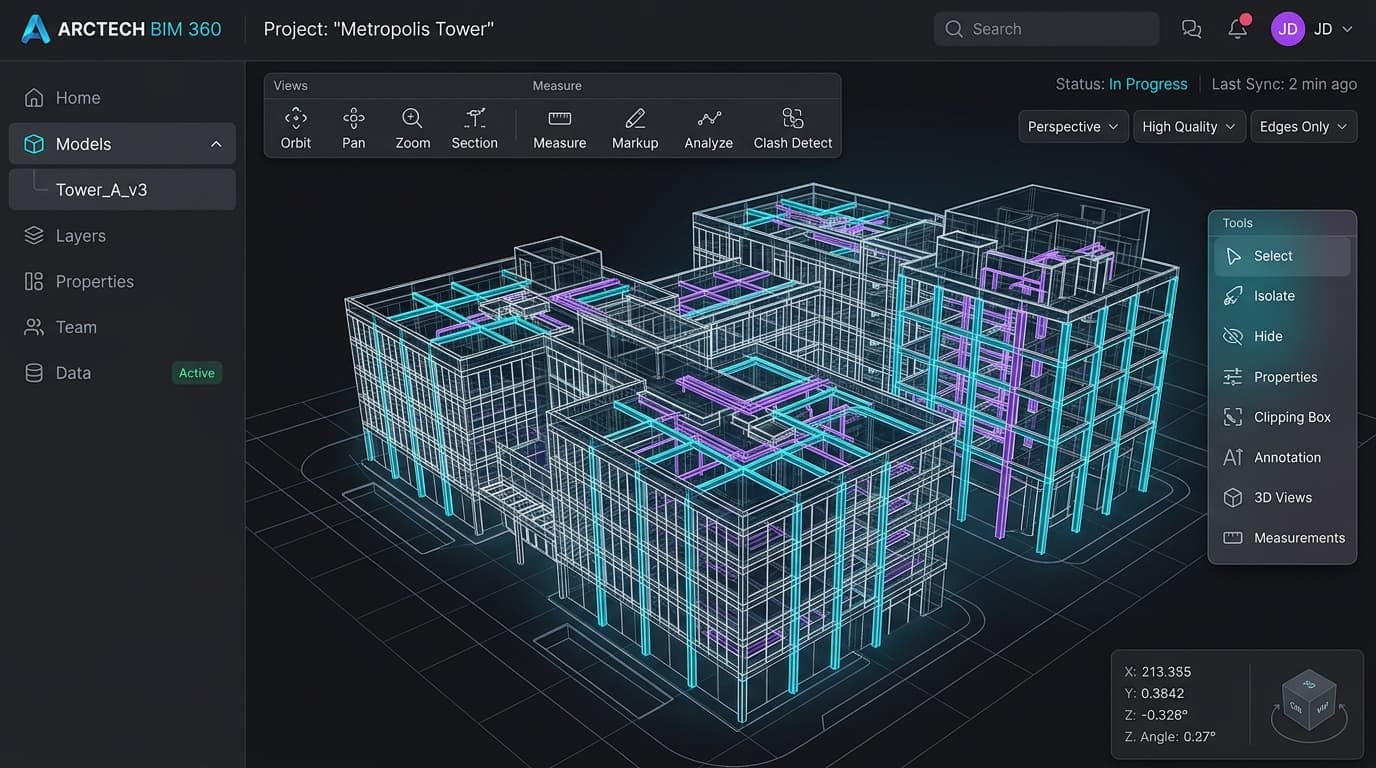
Interactive 3D site walkthrough system enabling construction teams to step through real-world 360° panoramic captures while simultaneously comparing them against the 3D BIM design model. Synchronized in real time by bridging two incompatible WebGL environments: Autodesk Forge Viewer and a modern Three.js viewer.
Full-Stack MERN & 3D WebGL Developer
6 Months
Codekart Solutions Private Limited
3D Graphics
The Problem & Engineering Constraints
Why this system needed to be built
Construction site monitoring required inspectors to visually compare real-world site progress against the architectural BIM design. Traditionally, teams had to manually cross-reference disconnected 360° photo galleries with desktop CAD software. BIMBox was built to provide an interactive 3D walkthrough: stepping through real-world 360° panoramic image nodes while an adjacent 3D BIM model view dynamically mirrors the exact camera vantage point, look-at direction, and field of view in real time. The core technical hurdle was bridging two fundamentally incompatible 3D environments (Autodesk Forge Viewer running an internal ~r71 Three.js fork with Z-up coordinates, alongside a modern Three.js/R3F scene with Y-up units) without global namespace conflicts or camera sync stutter.
Civil engineers, BIM coordinators, architects, and on-site construction project managers tracking build progress.
Real-World Constraints
Non-Negotiables- Three.js version & global namespace collision: Autodesk Forge Viewer internally bundles a heavily modified, legacy Three.js fork (~r71) that attaches to window.THREE, colliding with the project's modern Three.js (r140+) on the global workspace namespace.
- Coordinate & convention mismatch: Forge Viewer inherits Revit's architectural Z-up convention and millimeter units, while Three.js uses Y-up and scene meter units, requiring continuous axis-swizzling and scale normalization during camera navigation.
- Bidirectional sync loop hazard: Synchronizing camera changes between two live viewports creates an infinite ping-pong echo loop unless guarded by a strict synchronization state mutex.
- Smooth walkthrough node traversal: Moving between 360° photo capture waypoints requires slerp camera transitions without frame drops or disorientation across both viewports.
*Every architecture decision was framed strictly around these constraints.
System Architecture & Key Decisions
High-Level System Architecture
Dual-canvas architecture pairing a custom Three.js equirectangular photosphere walkthrough viewer with Autodesk Forge Viewer for BIM geometry. A central viewport synchronization bridge listens to camera change events, applies axis swizzling (Z-up ↔ Y-up) and unit scale normalization, and smooths transitions via spherical linear interpolation (slerp). State updates are decoupled into plain numeric payloads, throttled to requestAnimationFrame cycles, and gated with an update mutex to prevent feedback loops between the two WebGL runtimes.
Architectural Trade-Off Analysis (Micro-ADRs)
Scoped module isolation and plain-data serialization boundary over patching window.THREE
Forge Viewer unconditionally overwrote window.THREE with its bundled ~r71 fork, crashing modern Three.js modules. Aliasing imports and passing only plain numbers/arrays across the bridge decoupled both runtimes cleanly.
Could not pass Three.js Vector3 or Matrix4 instances directly across the bridge; required manual serialization to plain objects on every sync tick.
Monkey-patching window.THREE or running one viewer inside an iframe
RAF-throttled camera synchronization with mutex state lock
Continuous camera events from both viewports flooded the main thread and caused infinite ping-pong feedback loops (Viewer A updates Viewer B, which triggers Viewer A). A mutual exclusion flag (isSyncing) and requestAnimationFrame throttling eliminated event feedback and frame stutter.
Introduced a sub-frame (max 16ms) synchronization delay, which was imperceptible to users and ensured rock-solid 60 FPS.
Immediate unthrottled bidirectional event listeners
Migrating from Autodesk Forge Viewer to a fully custom Three.js/R3F pipeline
Forge Viewer's closed rendering pipeline and proprietary ~r71 fork prevented custom shader overlays, flexible walkover waypoint animations, and custom UI integration. Transitioning to a unified Three.js architecture eliminated the bridge and namespace collision entirely.
Required implementing custom BIM geometry loaders and navigation controls rather than relying on Forge's out-of-the-box CAD parsing.
Continuing to build fragile workarounds on top of Forge's closed API
Engineering Challenges & Root-Cause Fixes
Real technical hurdles encountered during production development and how they were solved under the hood.
Three.js Version & Global THREE Namespace Collision (Forge ~r71 vs Modern Three.js)
Loading Autodesk Forge Viewer and the 360° walkover viewer on the same page caused silent constructor failures and runtime crashes because Forge's bundled legacy ~r71 Three.js fork overwrote the global window.THREE namespace, breaking modern Three.js (r140+) classes like BufferGeometry, modern WebGLRenderer, and custom shaders.
Forge Viewer bundles a private, heavily modified ~r71 Three.js fork and automatically exposes it on window.THREE. The modern Three.js environment required completely different class signatures, uniform structures, and material systems on the same global identifier.
Isolated the two WebGL runtimes by sandboxing module imports. Forge retained its bundled THREE internally while the 360° walkover renderer imported modern Three.js under a scoped namespace. Standardized all bridge communication on plain numbers and float arrays, completely avoiding library instance passing across the boundary.
Both 3D runtimes coexisted on the same page with zero prototype contamination, independent WebGL contexts, and rock-solid stability.
Coordinate & Spatial Convention Mismatch (Revit Z-Up vs Three.js Y-Up)
Navigating in the 360° walkover caused the BIM model view to display a disoriented, tilted perspective where floors mapped to vertical walls, orbit controls panned along inverted axes, and camera focal points drifted off-target.
Forge Viewer inherits Revit's architectural Z-up coordinate convention and millimeter scale, while Three.js operates in Y-up world space and normalized meter units. Applying raw camera positions, quaternions, and look-at targets directly from one renderer to the other caused a 90° orientation mismatch.
Engineered an axis-swizzling translation layer inside the sync bridge that swaps and negates axes (X → X, Y → Z, Z → -Y), applies unit scale normalization (1000:1 conversion), and recalculates quaternion rotations before dispatching camera targets to the paired viewer.
Seamless spatial alignment: looking around or changing vantage points in the 360° site photo accurately directed the BIM camera to the identical architectural view.
Sync Loop Oscillations & Event Flooding During Continuous Walkthroughs
Dragging the camera to orbit or stepping between walkthrough nodes triggered rapid frame rate drops (dropping from 60 FPS to under 20 FPS) and severe camera jitter caused by an infinite ping-pong update loop.
Both viewports emitted camera change events. Viewer A updating Viewer B triggered Viewer B to fire an event back to Viewer A, resulting in an unconstrained event storm that flooded the UI thread with matrix recalculations and garbage collection pauses from continuous object instantiations.
Implemented a mutual-exclusion synchronization lock (isSyncing boolean flag) to break event feedback cycles, throttled matrix calculations to requestAnimationFrame ticks, and utilized pre-allocated typed arrays for vector state to eliminate heap allocations during continuous navigation.
Eliminated camera jitter entirely; achieved locked 60 FPS during rapid dual-viewport walkthrough navigation with zero garbage collection spikes.
Proprietary Forge Constraints Driving the Custom Three.js Migration
As feature needs expanded (custom split-screen comparison sliders, 3D waypoint node markers, progress overlays), developing in Forge took substantially longer than in standard Three.js, with numerous dead ends due to Forge's closed internal pipeline.
Forge Viewer is a closed-source black box running an obsolete Three.js fork. It cannot be extended with modern Three.js ecosystem tools (React Three Fiber, post-processing pipelines, custom PBR materials, modern glTF/DRACO loaders).
Advocated from project inception to replace Forge with a unified custom Three.js/R3F viewer. After repeated integration bottlenecks with Forge's API, the team migrated the BIM model rendering to the custom Three.js pipeline, eliminating Forge, the global namespace collision, and the coordinate translation bridge completely.
Feature velocity accelerated dramatically; complex split-screen comparison tools and custom walkover animations that previously took weeks of Forge workarounds were built in days.
Key Features & Implementation Mechanics
360° Site Walkthrough & Waypoint Traversal
Step through real-world 360° panoramic photo captures mapped across building storeys, giving site inspectors an immersive, virtual walkover of as-built site conditions.
Equirectangular spherical projection rendered via custom Three.js (R3F), with orbital camera controls and spatial waypoint transitions.
Real-Time As-Built vs. As-Designed Comparison
Simultaneous dual-viewport alignment where moving or looking around in either the 360° photo walkover or the 3D BIM model updates both viewports in lockstep.
Bidirectional camera bridge translating Revit Z-up millimeter coordinates to Three.js Y-up units with spherical linear interpolation (slerp) for smooth tracking.
RAF-Throttled Bridge & Loop-Prevention Engine
High-performance camera synchronization engine designed for fluid 60 FPS dual-canvas rendering without event feedback loops or frame stutter.
Mutual-exclusion sync guard (isSyncing) breaking echo loops, requestAnimationFrame-batched matrix updates, and pre-allocated typed memory buffers eliminating garbage collection pauses.
Lessons Learned & Architectural Evolution
What Worked Well & Enduring Takeaways
- ✓Third-party 3D SDKs that bundle modified library forks on the global window object create severe architectural friction when integrating with modern frontend codebases.
- ✓Real-time dual-viewport synchronization requires strict event loop hygiene: mutual-exclusion guards to stop bidirectional echo loops and RAF batching to keep navigation smooth.
- ✓Visual comparison between physical site reality (360° captures) and virtual design (3D BIM) provides maximum clarity when camera orientation, vantage points, and FOV stay strictly aligned.
What I Would Build Differently Today
- ↺Skip Autodesk Forge from the start and build the entire 3D viewer directly in custom Three.js, rather than spending weeks dealing with Forge's closed pipeline and outdated bundled dependencies before ultimately migrating.
- ↺Standardize the spatial coordinate convention across the backend data from day one, avoiding the need for runtime axis swizzling (Z-up to Y-up) inside the frontend bridge.